![2020_Imagotype_I-1.png]](https://help.safestack.io/hs-fs/hubfs/2020_Imagotype_I-1.png?height=40&name=2020_Imagotype_I-1.png)
You must be a Group Leader to your team to follow the instructions below and invite learners to your team
- Group Leaders - Log into the learning portal.
- Select "Manage Users" in the left-hand side menu to manage your team
- Ensure you have enough available seats and select "Bulk Invite Learners."
- Select the appropriate programs for your learners and click next.
- Privacy
- Secure Development
- Security Awareness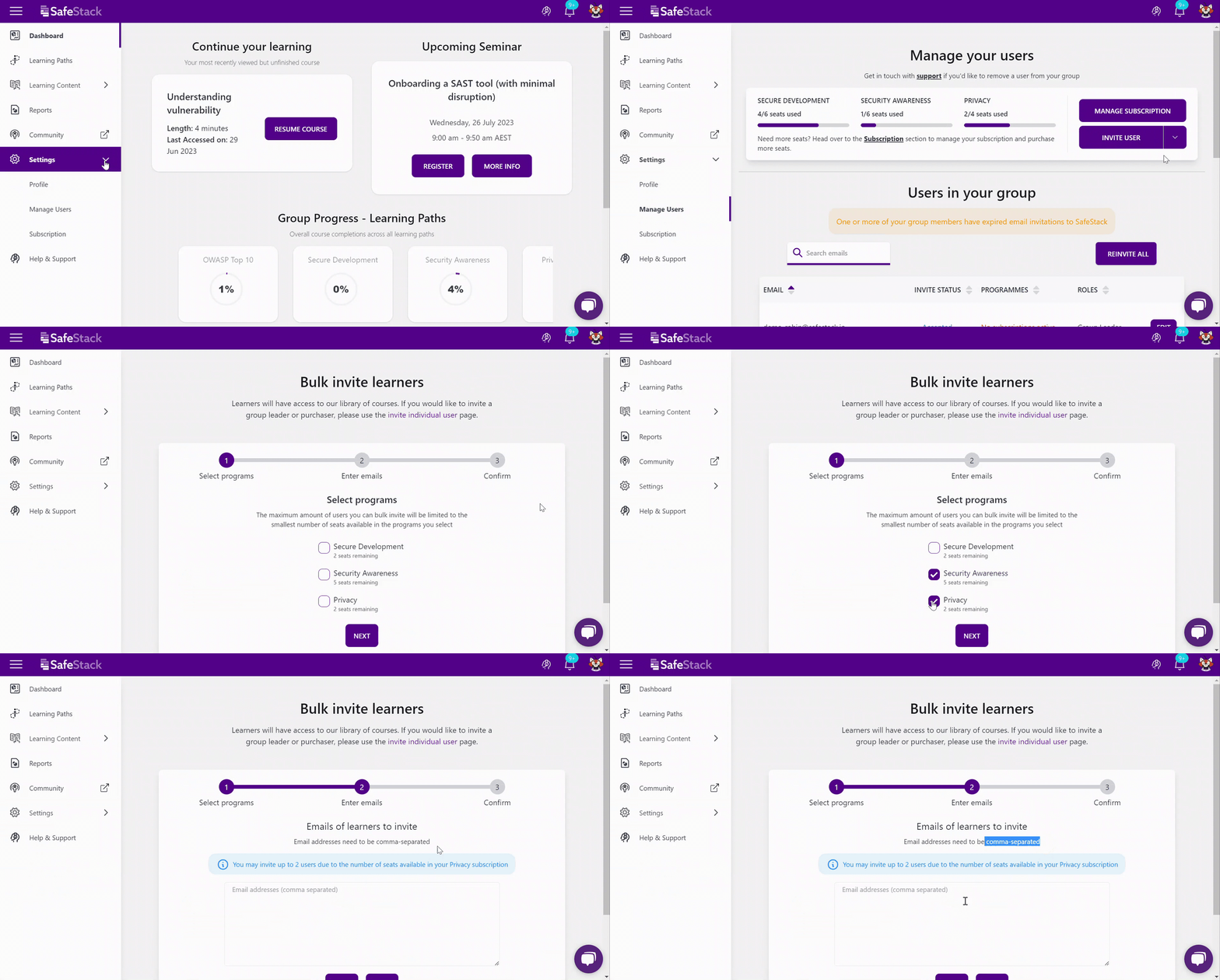
- Enter the emails of all the learners you'd like to invite (comma separated). You can enter a maximum of 50 emails at a time.
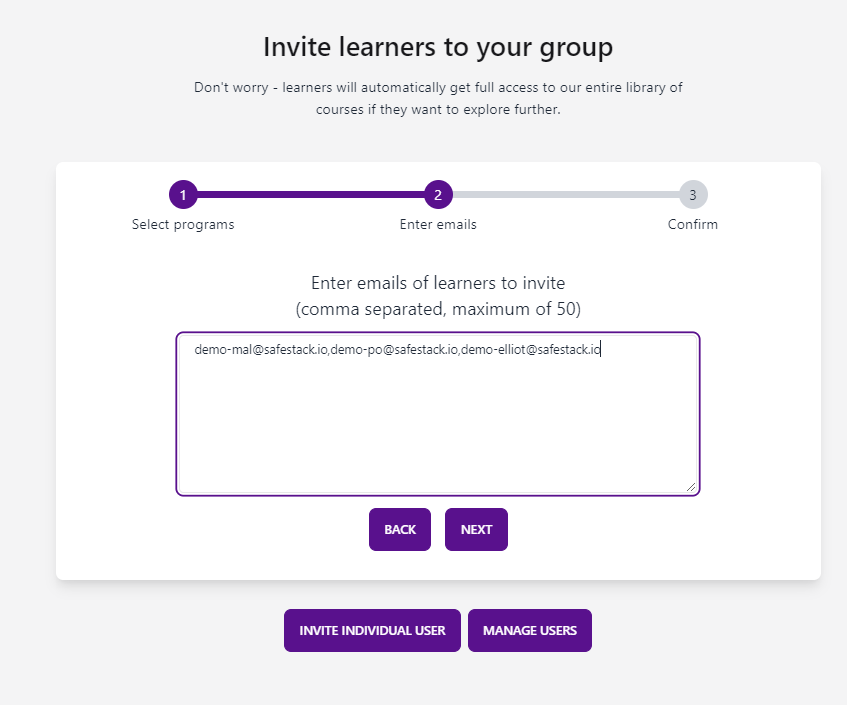
- Click next, confirm the details and send out learner invitations.

Still need help?
If you are having issues inviting users, please reach out to our support team.